

PlayinMatch99 › PlayinMatch App Download
ANDROID BUILDPlayinMatch App Download — 28 MB, One Permission Prompt, Real Lobby Speed
One file. 28 MB. That is the whole PlayinMatch app download, and it does not come from the Play Store, because sportsbook apps are not carried there. That link arrives on chat from the PlayinMatch99 desk; you tap it, Android asks a single permission question, and the install bar is finished in roughly 40 seconds.
What you get is the same account you would open in a browser tab. Same username, same balance, same open bets. What the PlayinMatch99 app adds is narrow and useful: it keeps the cricket in-play screen awake and drops the odds refresh from a full page reload to a strip that updates over the top of the scorecard. On a phone, during a chase, that difference is the entire reason for installing anything at all.
Why sideload at all? Because Google does not list real-money sportsbook apps for India, so the PlayinMatch99 build is distributed straight from the desk instead. That is the whole story behind the extra permission screen, and probably the one line most download pages leave out.
Fast facts before you start the PlayinMatch app download: build size around 28 MB, Android 7 and up, one permission asked once. There is no self-signup form inside the PlayinMatch99 app — the ID comes from the desk in about 3 minutes, and after that it works everywhere. Deposits open at ₹100, withdrawals land in 20 to 60 minutes, and the PlayinMatch99 chat desk stays open 24x7 through all of it.
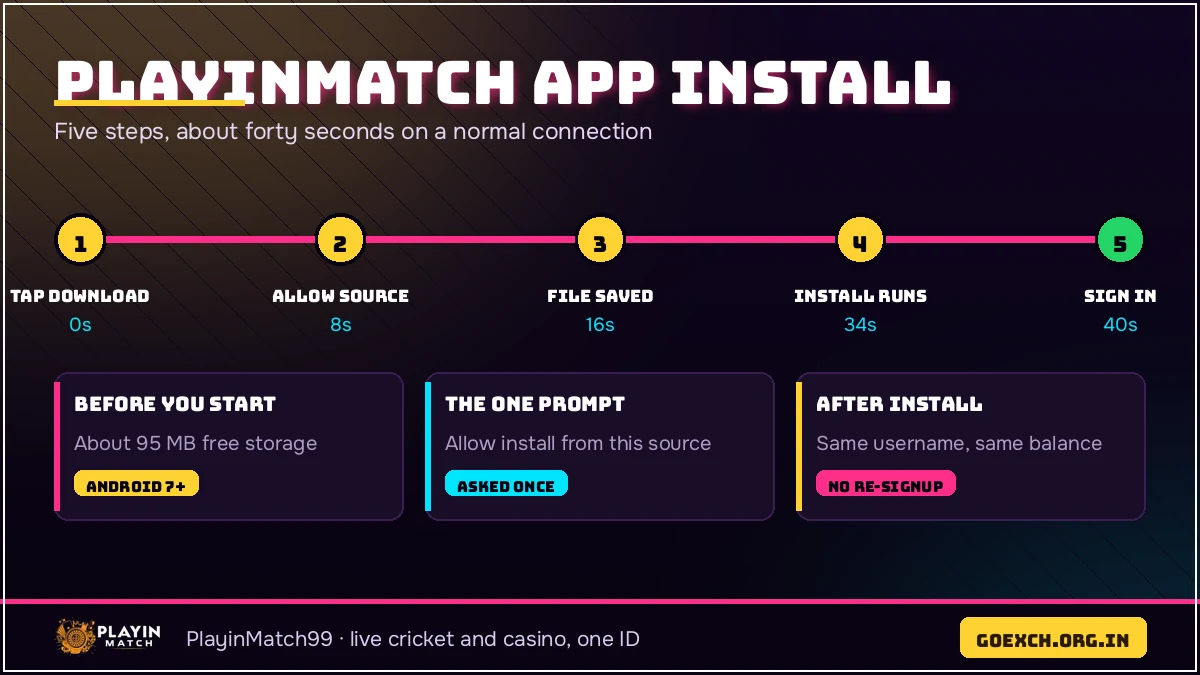
PlayinMatch App Download in Five Steps — the Official 40-Second Install
Five steps, and the slowest one is the download itself rather then the install. Those seconds were clocked on an ordinary 4G phone at about nine in the evening, which is the busiest hour on the PlayinMatch99 lobby, so treat them as honest-average numbers instead of best-case ones.
StartSigned in about 1 minute 38 seconds later
-
Open the PlayinMatch99 download link10 seconds
The desk sends the current build link on chat. Tap it, and the browser shows a small confirm bar at the bottom of the screen. Nothing installs yet; this is only the file coming down.
-
Let the 28 MB file land25 seconds
On 4G the notification shade shows the file name with the build number in it (handy later, when you want to check which version you are actually on). Hotel Wi-Fi at peak hour can stretch this to a minute or more.
-
Allow Install unknown apps, once8 seconds
Android opens a settings toggle for the browser you downloaded with. Switch it on, press back, and you land on the install prompt again. This is asked one time per phone, not on every PlayinMatch app download.
-
Tap Install and watch the bar40 seconds
This is the part the headline promises. A mid-range phone with free storage finishes the PlayinMatch99 install in around 40 seconds; an older handset that is nearly full takes longer, sometimes double.
-
Open it and sign in15 seconds
Type the two, tap once. Whatever cricket is live sits at the top of the Exchange tab, and the balance in the corner arrived with the ID, not with the phone.
Add it up and the PlayinMatch app download takes about a minute and a half from chat message to live odds. Most of the people who tell the PlayinMatch99 desk it took them fifteen minutes were stuck on step three, staring at a settings screen they had never seen before.
Before the PlayinMatch App Download: a Verified ID From the 3-Minute Desk
The app is a door, not a shop. No public registration form sits inside it, which surprises people who expect a sign-up wizard after the first launch. PlayinMatch99 issues IDs the other way round: you message the desk, give a name and a mobile number, and a username with a starting password comes back in about three minutes.
Do that before the PlayinMatch app download if you can. Installing first and then hunting for a register button is the commonest wrong turn, and it costs ten minutes for no reason.
- Message the PlayinMatch99 desk — say you want a new ID. Nothing else is needed at this stage; no documents, no deposit.
- Give a name and a working mobile number — the name should match the UPI account you plan to use later, or the first withdrawal gets held up.
- Read the reply properly — username on one line, starter password on the next, both typed out by a human at the PlayinMatch99 desk. Copy them exactly, capitals included.
- Change the password inside the app — the PlayinMatch99 desk hands over a starter password and expects you to replace it.
- Deposit when you are ready — UPI, IMPS or a straight bank transfer, from ₹100 up.
Once that ID exists, it never needs creating again. The PlayinMatch app download on a second phone, a laptop browser at work, a tablet at home — all of them take the same username. Losing a phone does not lose a PlayinMatch99 account, and that is worth knowing before you start worrying about backups.
Install Unknown Apps — the One Permission a Safe PlayinMatch App Download Needs
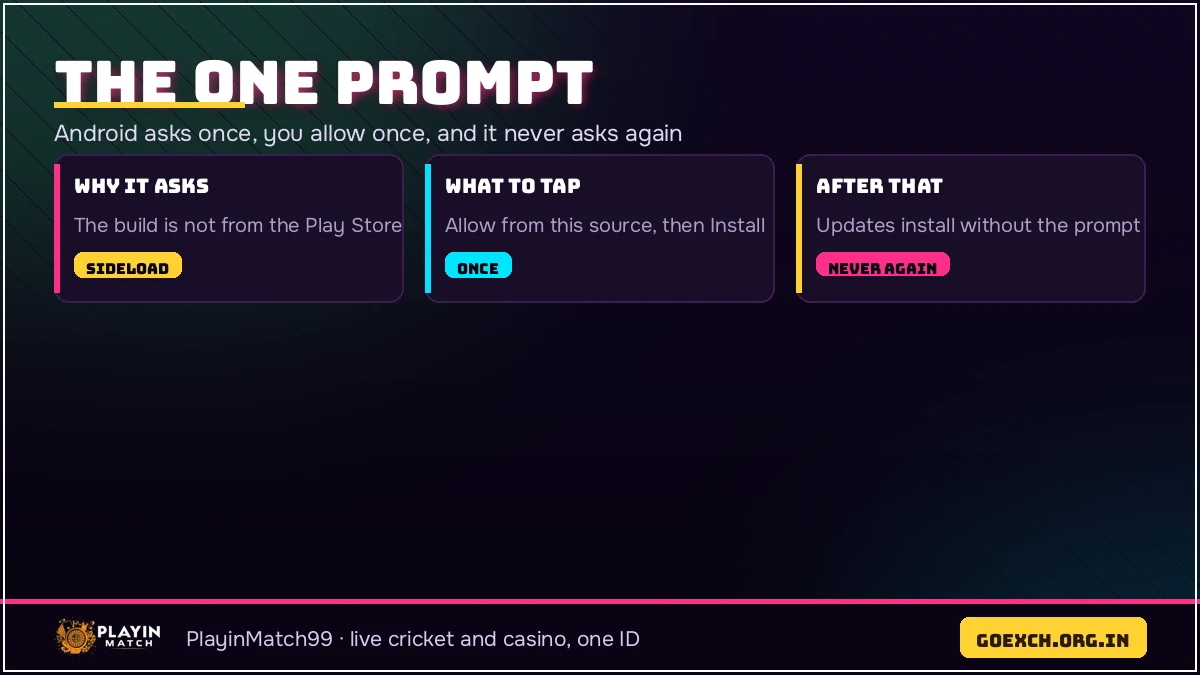
Android blocks installs from outside the Play Store by default, so the PlayinMatch app download has to ask for one switch. Wording moves around by manufacturer: Samsung says Install unknown apps, Xiaomi says Install apps from external sources, some older builds just say Unknown sources. Same switch underneath.
It is granted per browser, not per file. Give the browser permission once and every later PlayinMatch99 build installs without that prompt showing again. Nothing else is requested at install time — no contacts, no gallery, no location.
Where the Toggle Hides on the Usual Handsets
Samsung: Settings › Apps › the three-dot menu › Special access › Install unknown apps. Xiaomi and Redmi: Settings › Privacy protection › Special permissions. Realme and Oppo: Settings › Additional settings. Or skip all of that, start the PlayinMatch app download, and let Android walk you to the right screen by itself — it does, and it lands on the correct toggle every time.
People ask the PlayinMatch99 desk whether the toggle should go back off afterwards. You can switch it off. Do that and the next build asks once more, eight seconds of your life, and plenty of PlayinMatch99 regulars leave it on and never think about it again.
Quick Storage Check Before the 28 MB PlayinMatch App Download
Twenty-eight megabytes sounds like nothing, and it is, but Android wants working room while it unpacks. About 120 MB free is the comfortable number. Below that the install bar crawls or stops dead at a percentage that never moves, which the PlayinMatch99 desk hears about several times a week.
Android 7 is the floor. Anything from 2017 onwards runs the PlayinMatch app download fine; a 2 GB RAM phone opens the Live Casino tab more slowly than a newer one, though cricket markets and Aviator both stay smooth because they are light screens. After install the PlayinMatch99 app settles at roughly 60 to 80 MB once the lobby images have cached, still smaller than most messaging apps on the same handset.
Two side questions the PlayinMatch99 desk fields on this all the time. An SD card does not help, because Android puts the install on internal storage whatever else is plugged in. And a handset that already carries an earlier PlayinMatch99 build does not need it removed first — the new file goes over the top — unless the install refuses outright, in which case deleting the old one clears the road.
First Login After the PlayinMatch App Download — Fast Sign-In on Any Phone
Two fields. Username in the first, password in the second, then the Login button. PlayinMatch99 remembers the username afterwards, so the second night is one tap and a password.
When a login fails, the reason is nearly always one of three: capitals typed into a username that is lowercase, a password changed in the browser and never updated in the app, or an ID the desk has parked for inactivity. That third one sounds dramatic and is not — one message to the PlayinMatch99 chat desk clears it, usually inside a couple of minutes, and no reinstall is involved.
Keep me signed in does what it says, and on a personal phone it saves the daily retype. On a shared handset, leave it alone.
The PlayinMatch99 app does not force a password change at the door, though the desk hands out starter passwords expecting you to swap them. Two fields on the PlayinMatch99 settings screen, ten seconds, and it is done. Do it on the first night and the starter string never has to be remembered again.
Live Cricket After the PlayinMatch App Download — Real Session Prices Every Over
Cricket is why most of these installs happen. Whatever is live opens on the Exchange tab: IPL through the season, T20 internationals, BBL in the Australian summer, county cricket in the English one, plus domestic T20 that never really stops. Football, kabaddi and tennis sit on the same PlayinMatch99 tab.
Inside a match you get the market column with back and lay prices, session and fancy lines underneath, and the scorecard pinned beside them, so you are not flipping between two apps to see who is on strike. Prices move ball by ball. In the PlayinMatch99 app that movement is a number changing in place; in a browser tab it is a refresh, and on a weak connection you feel the difference immediately.
A composite from the PlayinMatch99 desk log, because it is a typical night: a user in Nagpur messaged at 9.40 pm during a chase, started the PlayinMatch app download on hotel Wi-Fi, watched the install stall at 84 per cent, switched to mobile data, and was signed in on the session line before the over finished. Total delay, about three minutes.
Football, kabaddi and tennis run the same way, and the Sportsbook tab sits next to the Exchange one for anybody who would rather take a fixed price than trade a market with two sides. Lottery has its own corner of the PlayinMatch99 lobby. None of that needs a different install.
Casino, Aviator and Slots Inside the Official PlayinMatch App Download
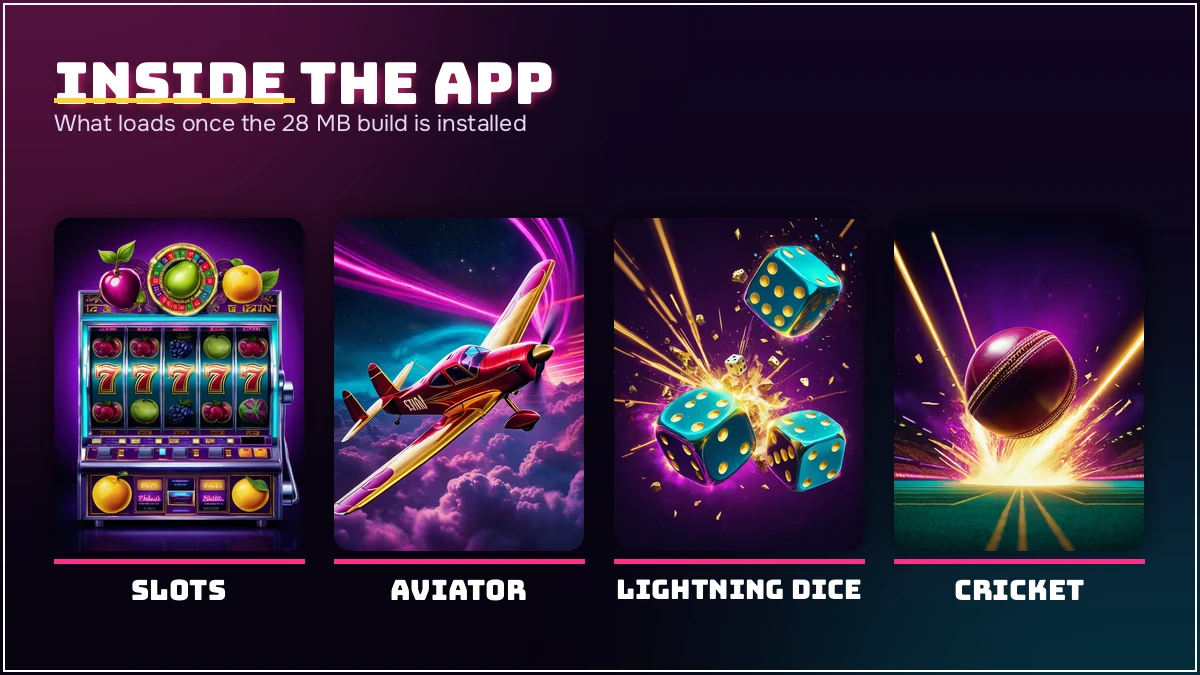
The same install carries the whole casino floor. Live Casino runs on Evolution and Ezugi feeds — Teen Patti, Andar Bahar, Dragon Tiger, Lightning Roulette, Baccarat, Blackjack, Sic Bo, Crazy Time, Lightning Dice, 32 Cards — with real dealers on video and a chat box beside the table. Roughly fifty titles sit under each casino category on PlayinMatch99, so the tab is a scroll, not a shortlist.
Crash games are the other half. Aviator runs a round about every 30 seconds, with manual and auto cash-out, a double-bet option that lets two stakes run at once, and a public round history every player can see. JetX, Mines and Plinko sit beside it. Slots come from Pragmatic Play, JILI, Spribe and PG Soft, and a spin can start at about ₹5, which is why that tab fills up between innings on the PlayinMatch99 lobby.
All of it sits in the one PlayinMatch99 app. No second PlayinMatch app download for casino, no seperate balance to top up, and one PlayinMatch99 statement covering cricket and casino together.
Deposits and Withdrawals in the PlayinMatch App — Quick UPI From ₹100
Three rails carry money on PlayinMatch99: UPI, IMPS and a plain bank transfer. A deposit can be as small as ₹100, and it shows in the balance as soon as the PlayinMatch99 desk ties the reference to your ID. Going the other way, five hundred rupees is the floor, and a normal night clears in 20 to 60 minutes.
That 20-60 window holds while the banking rails behave. It stretches on a big IPL night when the PlayinMatch99 desk is clearing a queue, and it stretches again after the midnight bank cut-off, when the transfer itself waits for the morning batch. One-time KYC is asked for on larger payouts — done once, never again.
Inside the PlayinMatch99 app the deposit screen is short: amount, method, then the reference from your UPI app pasted back in. PlayinMatch99 matches that reference against your ID and the balance moves. If five minutes pass and it has not, one chat message with the payment details usually settles it before the next over is bowled.
What the PlayinMatch99 Desk Checks on a Withdrawal
The bank or UPI name has to match the name on the PlayinMatch99 ID. That single mismatch is what turns a 30-minute payout into a next-day conversation, and it is worth fixing on day one rather than on the night you actually want the money out. Everything else — amount, method, reference — the PlayinMatch99 desk reads straight off the request.
PlayinMatch App Download Not Working? Clear Fixes for the Usual Errors
Four things go wrong, and they go wrong in the same order for everybody.
The bar freezes mid-download. Connection, nine times out of ten. Delete the part-finished file, swap Wi-Fi for mobile data, and restart the PlayinMatch app download. App not installed. Usually a corrupted half-file, or an older build still sitting on the phone — remove the old one, then install the new. Parse error. The file never finished coming down; ask the PlayinMatch99 desk for a fresh link instead of retrying the broken one. The app opens on a blank lobby. Almost always a network filtering the connection, and mobile data fixes it in seconds.
I said a minute and a half earlier for the whole thing. On a 3G signal in a crowded stadium, be fair, make it four or five minutes — and the the install itself is still the quick part of that. None of the four needs a support call, but the PlayinMatch99 chat desk is open 24x7 and typically answers inside a couple of minutes if you would rather ask than experiment.
Keeping the PlayinMatch99 Build Current
Sideloaded apps do not auto-update, so a newer build arrives as a fresh link on chat: the same 28 MB install, straight over the top of the old one. Nothing is lost doing that, because the ID, balance and bet history live on the PlayinMatch99 servers and not in the app. Searches for an older version turn up a lot, and there is rarely a good reason to keep one, since its the current build that matches what the live lobby is serving.
iPhone Without the PlayinMatch App Download — the Reliable Home-Screen Route
iPhone owners skip the PlayinMatch app download entirely, because Apple carries no build of it. The route instead: mobile site in Safari, the Share icon, Add to Home Screen, then a name of your choosing. What lands on the home screen is an icon that opens full screen with no address bar — close enough to a native app that most PlayinMatch99 users forget the difference within a day.
Session handling is the same, cricket markets are the same, the casino tables are the same, and the PlayinMatch99 login takes the identical username. One real gap remains: push notifications, which no home-screen shortcut can deliver. Users who want a score alert keep the chat desk pinned instead.
Android owners do the same thing sometimes, incidentally, and keep a browser shortcut sitting beside the installed PlayinMatch99 app. There is no rule against running both. Both read the same PlayinMatch99 balance, the same open bets, the same statement — the ID does not care which door you came through.

PlayinMatch App Download — Real Questions the 24x7 Desk Gets
These came off the PlayinMatch99 chat log rather than out of thin air — six questions the install throws up most often. A couple only make full sense once your PlayinMatch99 ID exists, which is fine; read them anyway. If yours is not here, the PlayinMatch99 desk is awake 24x7 and answers in a couple of minutes.
How do I complete the PlayinMatch app download on Android?
Open the PlayinMatch99 download link the desk sends on chat, tap the 28 MB file, and allow Install unknown apps when Android asks for it. The install bar finishes in about 40 seconds. Open the app, type the username and password from your ID, and the lobby loads.
Is the PlayinMatch app download free?
Free, with one small footnote: those 28 MB come out of your data pack. Beyond that nothing is charged. The install, the PlayinMatch99 username issued on chat and every replacement build cost zero, and your own deposit, which opens at 100 rupees, is the only money in play.
Why is my PlayinMatch app download stuck at the same percentage?
Almost always the connection, not the file. Move from crowded hotel or office Wi-Fi to mobile data, delete the half-finished file, then start the PlayinMatch app download again. If the bar still freezes, free up about 120 MB of storage and ask the 24x7 desk for a fresh link.
Is there a PlayinMatch app download for iPhone?
No iOS build exists, so there is no PlayinMatch app download on the App Store. iPhone users open the mobile site in Safari, tap Share, then Add to Home Screen. That shortcut opens full screen, holds the session, and carries the same ID, balance and cricket markets.
Do I need a new ID after the PlayinMatch app download?
No. One username and password work in the app, in the browser and on a second phone. Balance, open bets and statement follow the ID rather than the device. If you have no ID yet, the PlayinMatch99 desk issues one over chat in about 3 minutes.
How long does a PlayinMatch withdrawal take from the app?
Most land inside 20 to 60 minutes of the PlayinMatch99 desk approving them. Two things stretch it: a busy IPL night with a queue at the desk, and anything sent after the midnight bank cut-off, which sits until the morning batch. The minimum is 500 rupees.